Electric guitar practice with a band that never stops.
Most guitar apps are made for acoustic strumming. TabFollower is for the electric player: plug into an iRig, run your amp sim, and play lead lines from tab over a live backing band that hears every note, marks hits and misses, waits for you when you need it, and tells you what to fix.
Free with 30 songs. Plus: AI writes new ones for you, or bring your own Claude or Codex. $4.99/month.Practice that feels like playing with people
Most tab apps freeze and wait. TabFollower keeps the groove going.
A real band, not a click
Guitar, bass and drums arranged for the style, with human timing and dynamics, rendered live so the tempo is yours.
It hears you
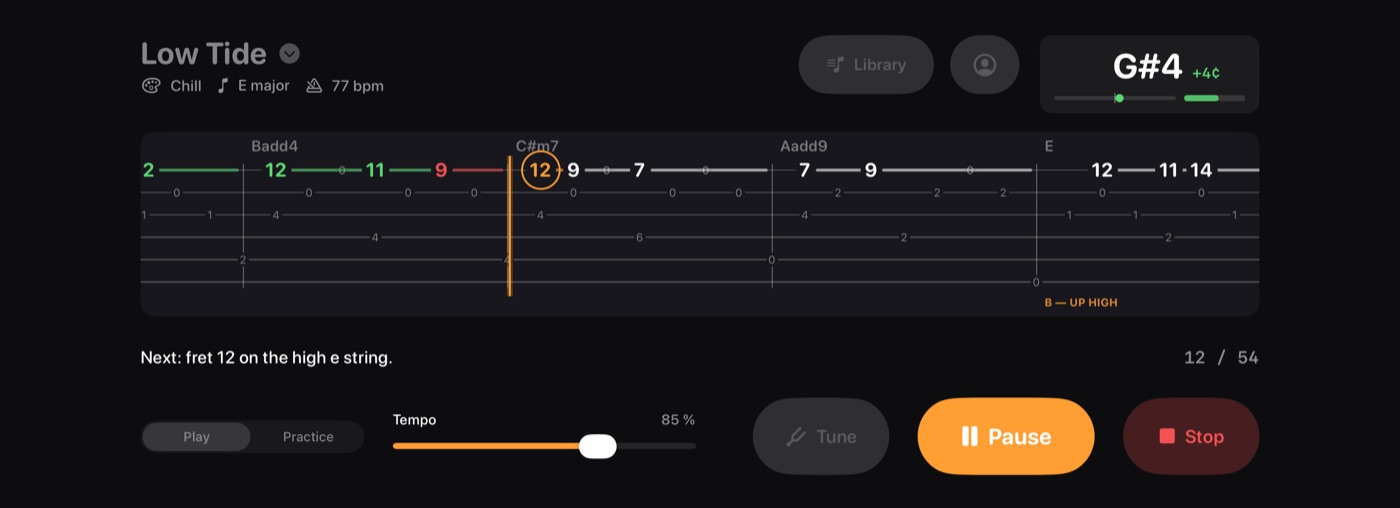
Pitch detection on your guitar signal registers a note in about 25 ms and knows the fret you actually played.
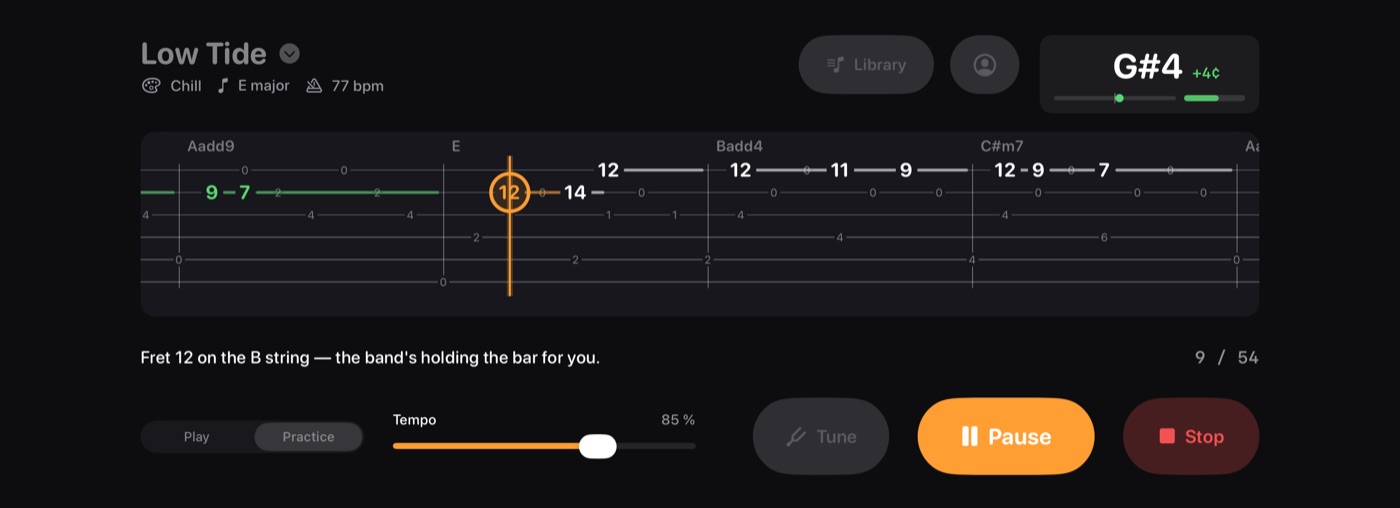
Practice mode vamps
Behind on a note? The band loops the bar like an accompanist holding the groove, then carries on the moment you play it.
Stars, streaks and feedback
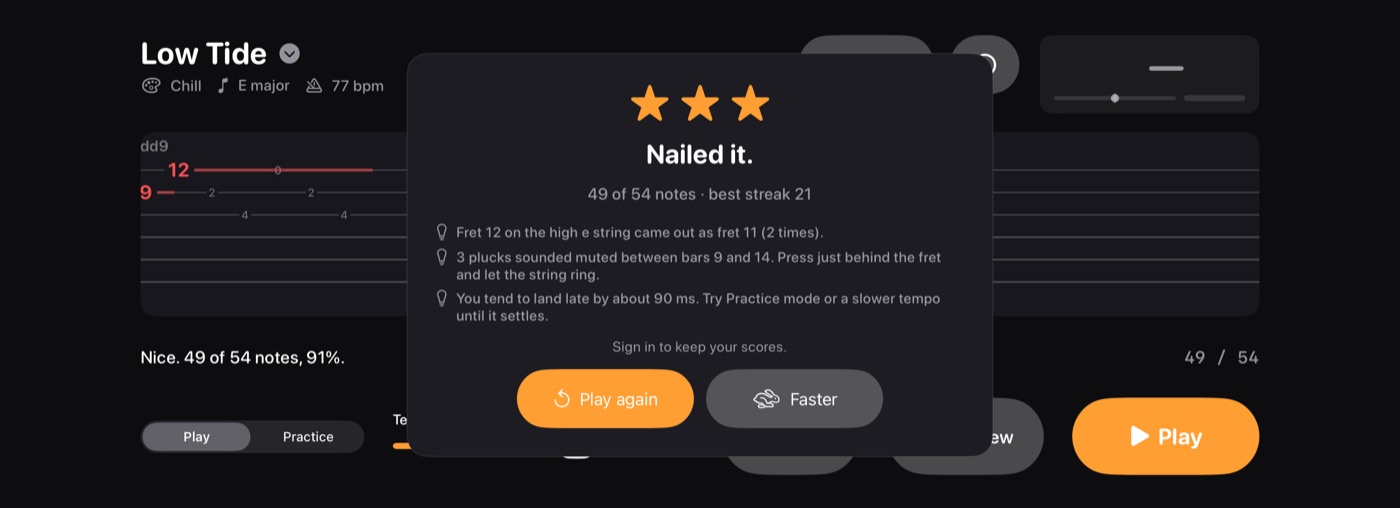
Hits, misses, best streak, and plain-language notes: wrong frets, muted plucks, rushing or dragging.
Preview, pause, scrub, record
Hear the whole piece first. Tap to pause. Drag the tab to any bar and the band counts you back in. Record a run as a video, with your tone, to save or share.
Your amp, your tone
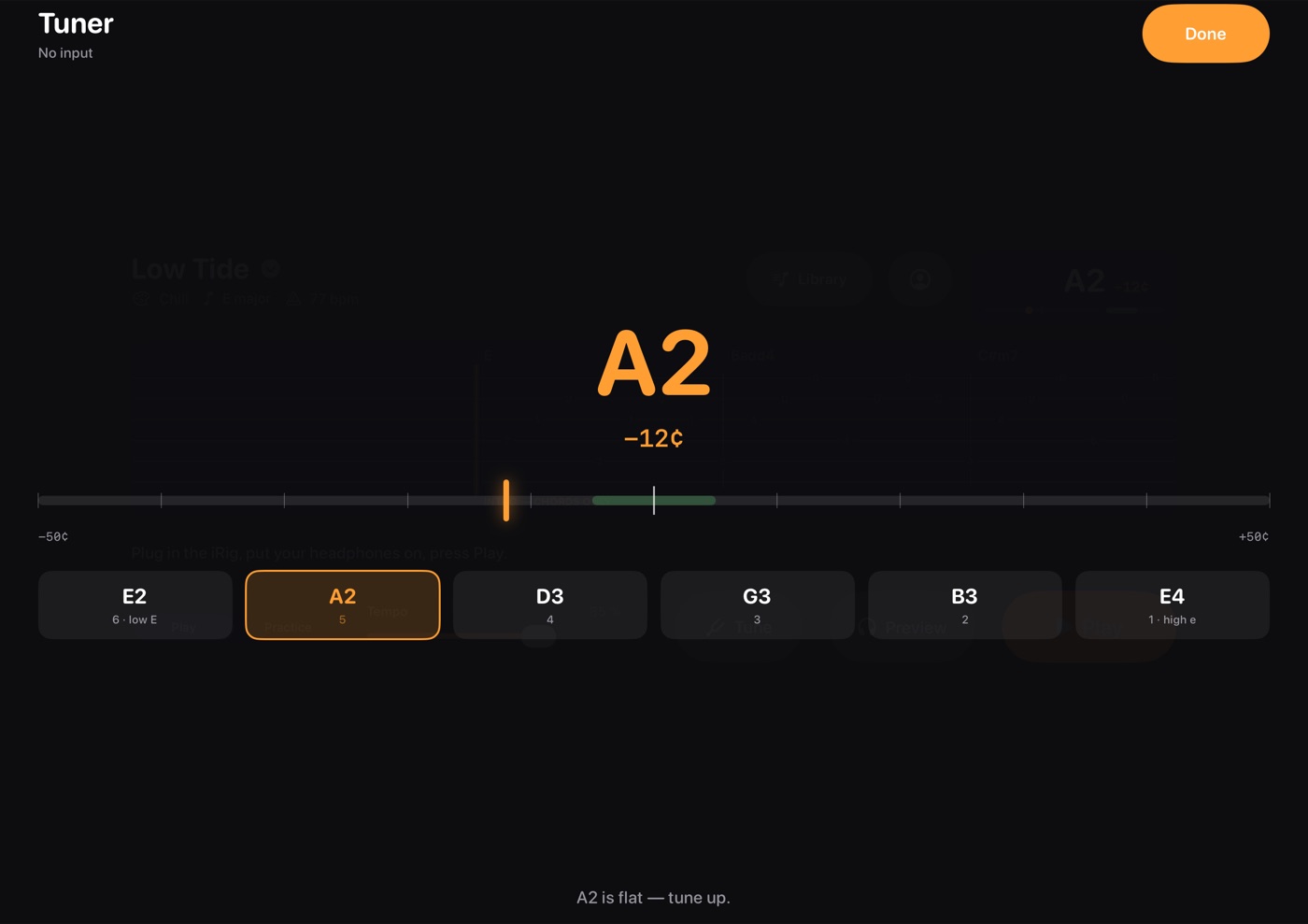
AmpliTube or any amp app runs alongside for the sound of your guitar. Amp sims with an Audio Unit extension can load inside TabFollower too, so recordings carry your tone. Plus a tuner against the song's own strings.
What it looks like
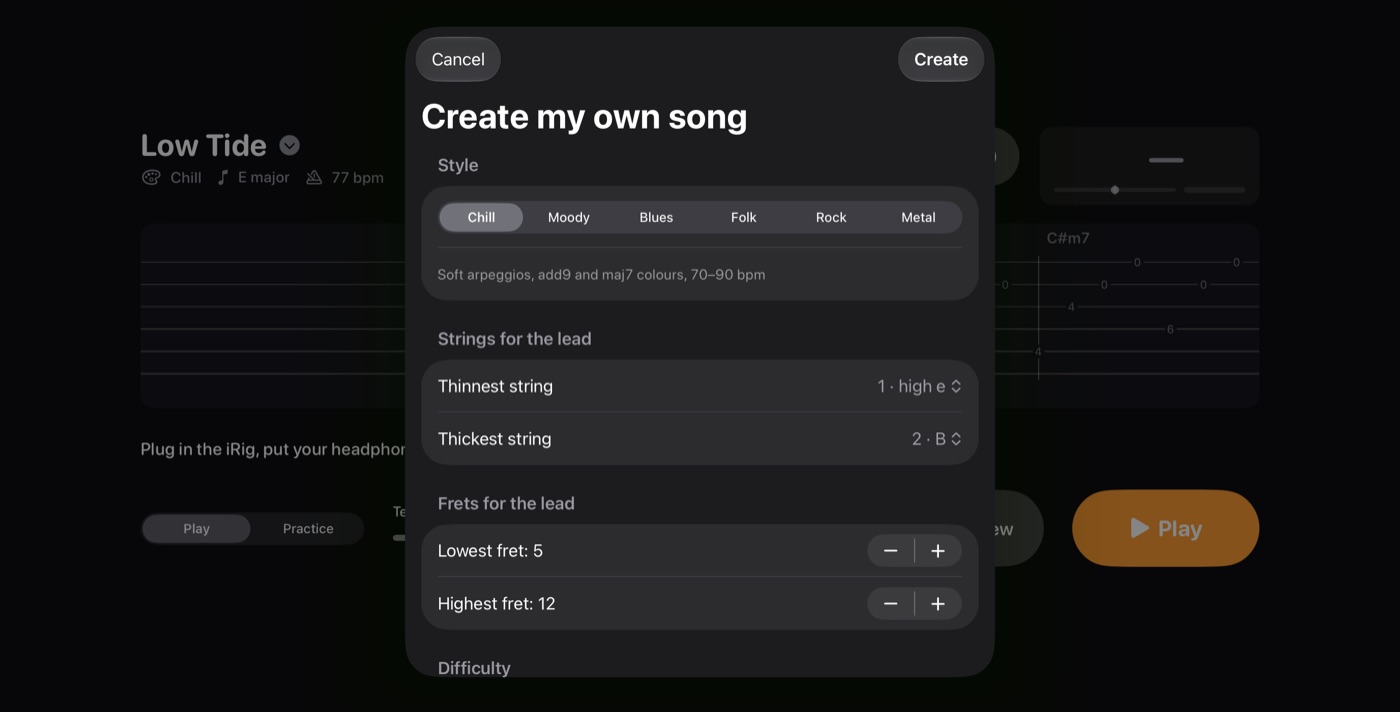
Real screens from the iPad app.
How it works
Four steps from unboxing to playing.
Guitar into the iRig, iRig into the iPad, headphones into the iRig. AmpliTube in the background for tone.
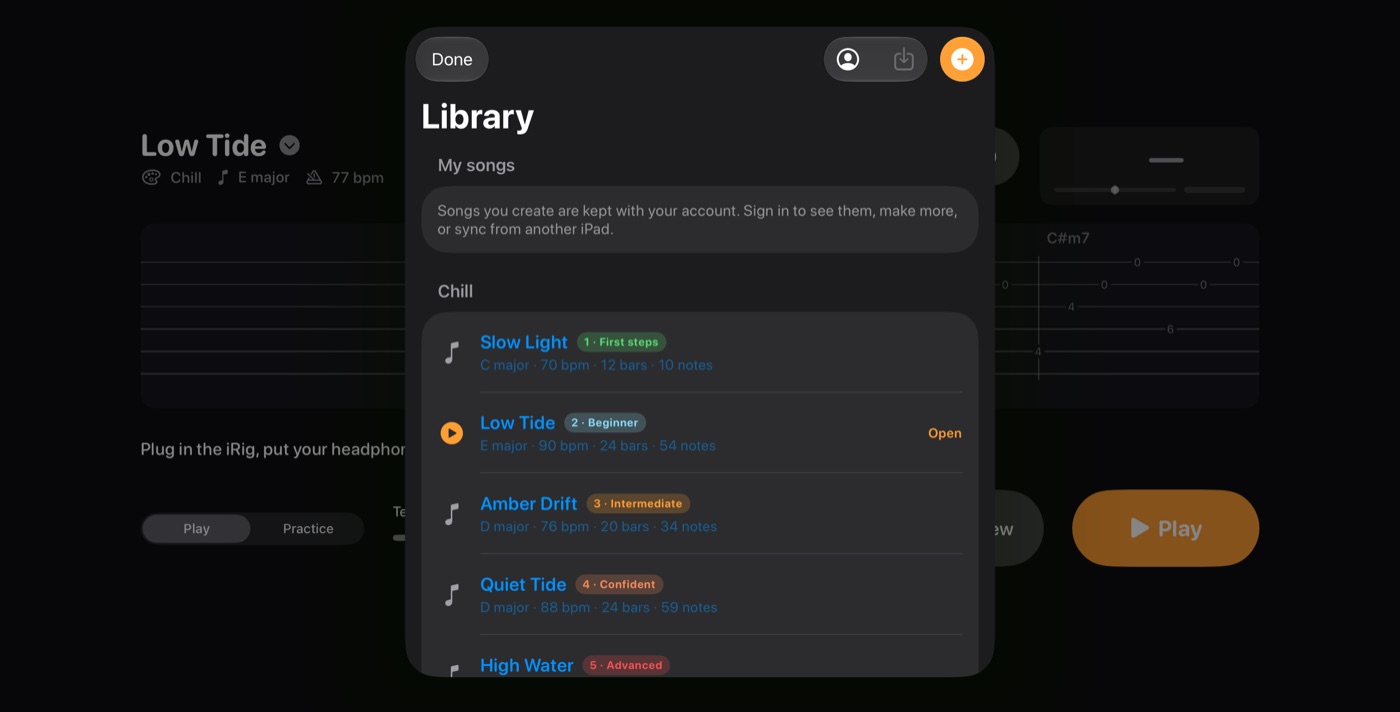
Thirty free pieces from first lesson to advanced, or create your own with Plus.
One bar of count-in, then the band plays. Green means hit, red means missed.
Stars, streak, and what to fix. Play again, a bit slower, or faster.
Thirty free songs, six styles, five levels
Chill, folk, moody, blues, rock and metal, each from a one-string first lesson to a fast, busy advanced piece.
Browse all thirty free songs, with key, tempo, length and a tab excerpt for each. Then, with Plus, have AI write more for exactly the strings, frets and level you are working on.
Songs written for you, by AI
Never run out of things to practise. New pieces for exactly the strings, frets and level you are working on.
Written by Claude, for your level
With Plus, pick a style, the strings and frets, a level, and say the mood in a sentence. About thirty seconds later there is a new song in your library, up to three minutes long.
Bring your own ChatGPT or Claude
Add the TabFollower plugin in ChatGPT, or TabFollower as a connector in the Claude app, and ask it for a piece. Codex works too, as an MCP server with a token from the app. Your AI writes it, TabFollower checks it and puts it in your library: 20 songs a month, each up to five minutes, on top of the five we write.
Always playable, never random
Every song, whoever writes it, is checked against the rules of the fretboard and the band: notes on the strings you chose, a real band arrangement, a length that fits your session.
Pricing
The library is free forever. Plus is for songs made for you.
- 30 songs, all styles and levels
- Play and Practice modes
- Stars, streaks and feedback
- Tuner, Preview, pause and scrub
- No account needed
- Create up to 5 songs a month, up to 3 minutes each
- Choose style, strings, frets, level, and a one-line brief
- Songs and scores kept with your account, on every iPad
- Bring your own AI: connect ChatGPT, Claude or Codex for 20 more songs a month
- Billed by Apple, cancel any time
Questions
What do I need?
An iPad, an electric guitar, headphones, an audio interface such as an iRig, and an amp app such as AmpliTube for the sound of your guitar. TabFollower listens through the interface, so it hears only your guitar, and the band plays in your headphones alongside your amp. No microphone mode, on purpose: it would feed back and hear the band.
Does it stop the music while I find the note?
Play mode never stops: it counts you in, plays through, and marks hits green and misses red. Practice mode never stops either; when a note is overdue the band loops that bar, like an accompanist holding the groove, until you play it, then carries on. Step mode drops the clock and the band altogether: the tab waits on each note and moves on when you play it.
What does it tell me about my playing?
After a run you get stars, hits, your best streak, and up to three observations: which fret a wrong note came out as, how many plucks sounded muted and where, and whether you tend to rush or drag. Bends, vibrato and tone are beyond a pitch detector, so it stays honest about that.
What is in the free version?
Thirty pieces across six styles, from a first lesson on the thin strings to advanced pieces over all six with bends and slides, plus the tuner, Preview, pause and scrubbing. No account needed.
What does TabFollower Plus add?
Songs written for you: pick a style, the strings and frets you want to work on, a level, and optionally describe the mood in a sentence. Up to five songs a month, each up to three minutes, kept with your account along with your scores. $4.99 a month through the App Store, cancel any time.
Can I hear a song before learning it?
Yes. Preview plays the whole piece with the lead line synthesized so you know what you are aiming for. You can also drag the tab to any bar and the band counts you in from there.
Does it work with AmpliTube or other amp apps?
Yes, and you need one: an electric guitar is silent without an amp. Run AmpliTube (or any amp app with a background audio setting) in the background and you hear your tone and the band together. Amp sims with an Audio Unit extension can also load inside TabFollower, which puts your tone into the videos you record.
More in the help centre: hooking up an iRig, creating and removing songs, passwords, subscriptions.